
Case Study 02
Cypheme Enterprise Admin Platform
Redesigning a B2B SaaS admin platform for product authentication, scan analytics, dynamic landing pages, and enterprise verification workflows.
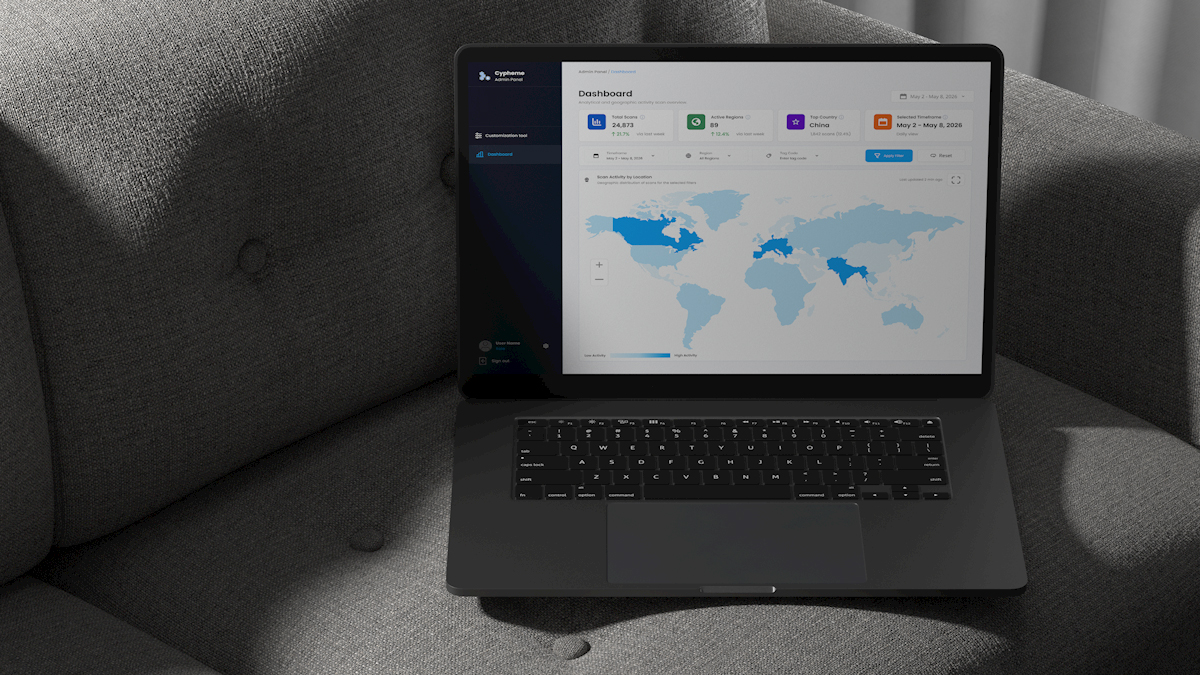
Overview
Cypheme is an AI-powered anti-counterfeit and product authentication platform that helps brands protect products, verify authenticity, and understand how their products are being interacted with globally.
The Enterprise Admin Platform is the B2B side of that ecosystem. After joining Cypheme, partner brands receive access to the platform to manage products, review scan activity, and create the customer-facing experience people see after scanning a protected product.
That experience can vary significantly between brands. Some companies only need to redirect customers to an existing website. Others need a branded verification result page with product information, imagery, and custom content. Larger teams also need access to analytics across products, countries, and campaigns.
My role was to redesign this existing platform into a clearer and more flexible enterprise product without disrupting the underlying workflows already being used by Cypheme and its partners.
The Challenge
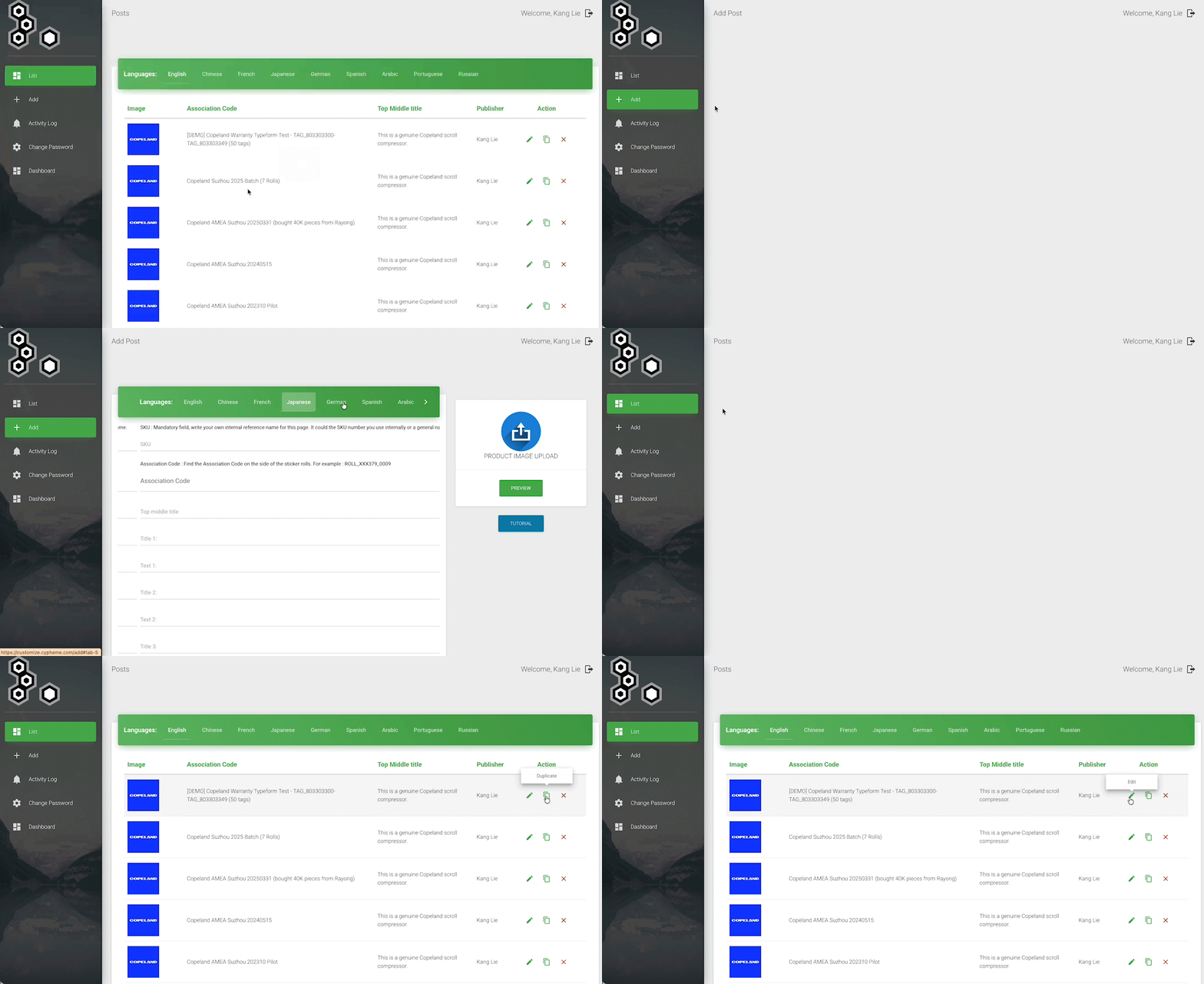
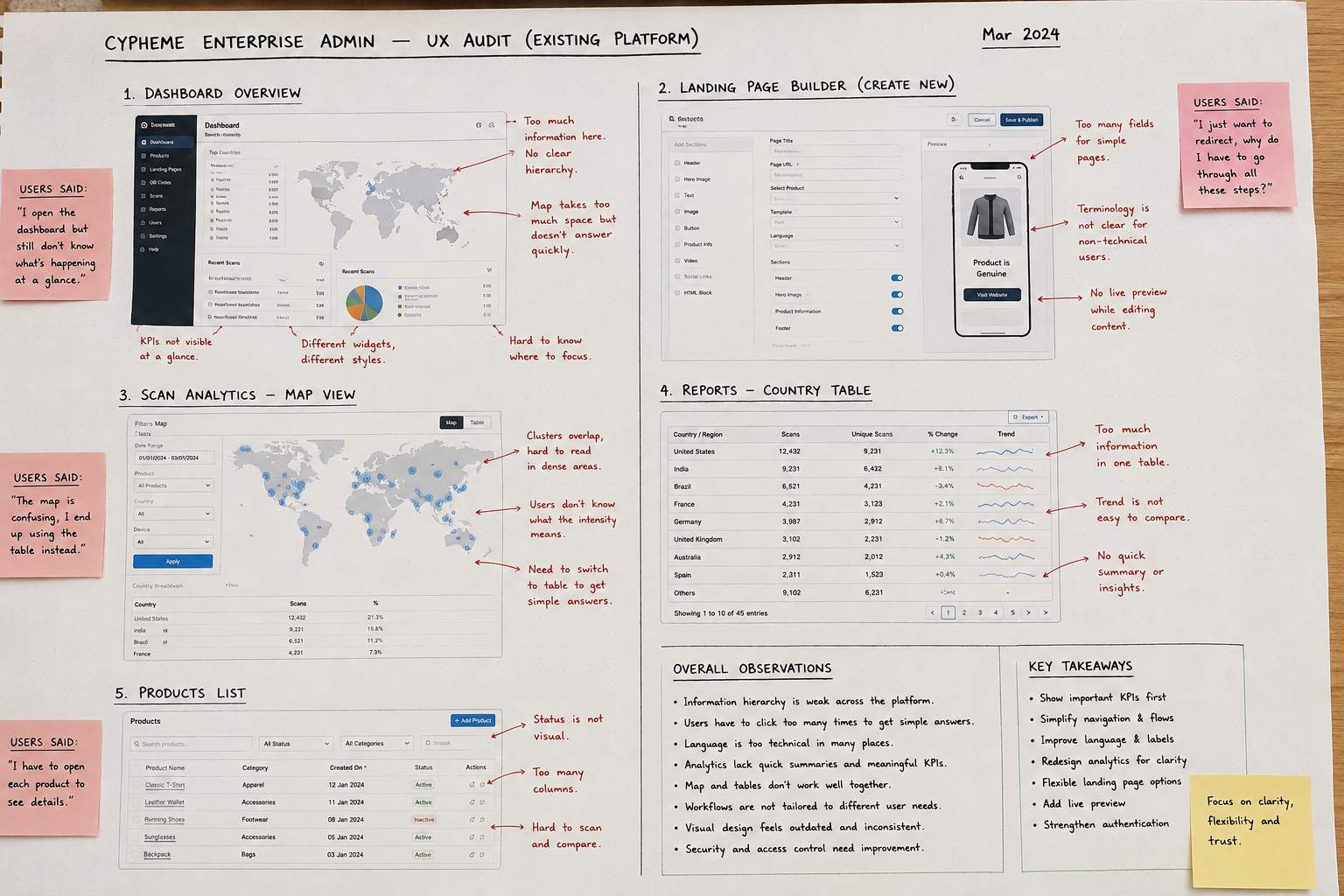
The original platform was functional, but its interface had grown around individual features rather than around the way customers actually used the product.
The visual language felt dated, analytics were difficult to understand at a glance, important information was distributed across different views, and some workflows relied on terminology that was difficult for international and non-technical users to understand.
The customer base also made the problem more interesting. Cypheme worked with companies across very different industries, from fashion and consumer products to larger corporate organizations. Their needs, technical knowledge, and expectations were not the same.
The challenge was not simply to modernize the UI. It was to create one system flexible enough for very different organizations while remaining understandable to people with different levels of technical experience.
Redesign Goals
- Make important product and scan information understandable at a glance
- Reduce the amount of navigation required to understand product activity
- Introduce useful KPIs rather than relying primarily on maps and detailed tables
- Simplify language for an international, mixed-technical audience
- Create flexible landing-page workflows for different brand requirements
- Make complex forms and configuration tasks easier to understand
- Create reusable patterns that could scale as the platform grew
- Strengthen account security without making everyday access unnecessarily difficult
My Role
End-to-End Product Designer
I led the redesign across discovery, information architecture, interaction design, UX writing, visual design, prototyping, design system development, and implementation support.
I worked directly with Cypheme's leadership and development team and gathered requirements and feedback from internal stakeholders and partner organizations.
My responsibility was not only to modernize the interface, but to turn different customer requirements into one coherent and scalable product experience.
Research & Product Discovery
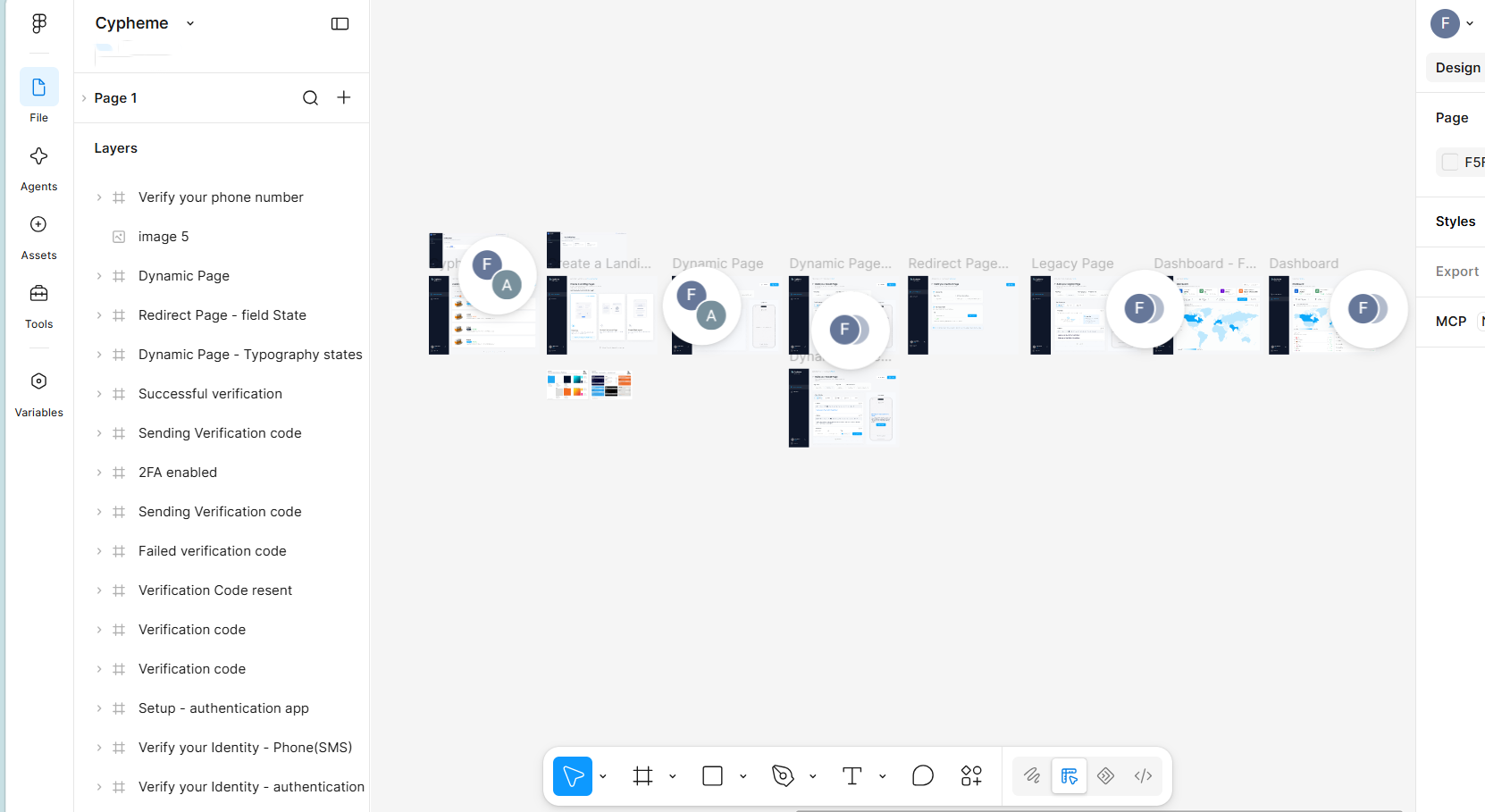
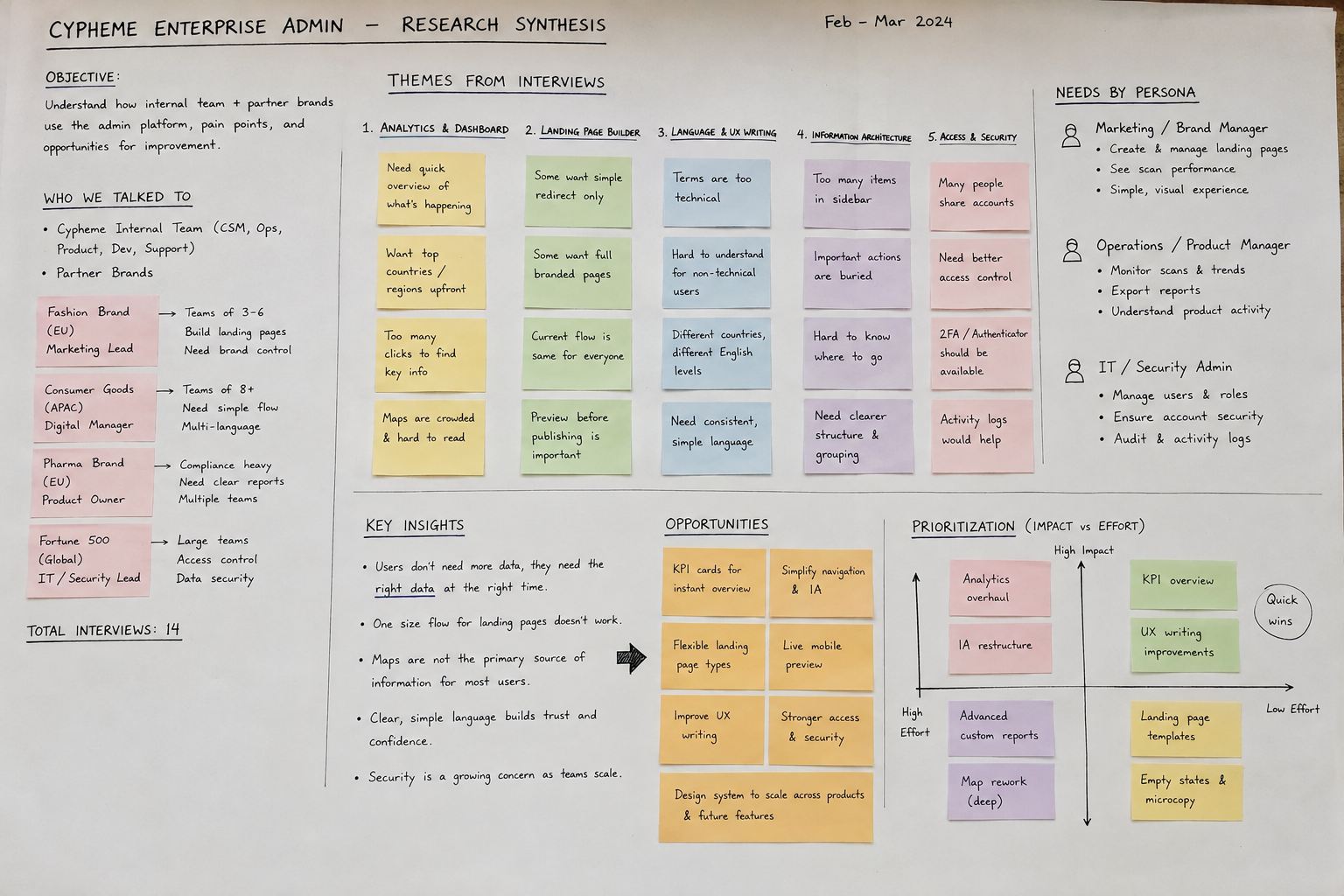
Before redesigning the platform, I needed to understand how it was being used across very different contexts.
Because this was an established enterprise product rather than a new consumer experience, research focused primarily on stakeholder and customer interviews, workflow observation, interface review, and recurring feedback from partner teams.
I spoke with people inside Cypheme who worked closely with customers, as well as users from partner organizations across different industries. This helped uncover a gap between what the platform technically allowed people to do and what users could easily understand from the interface.
What kept coming up
- Analytics visibility: users wanted faster access to answers such as top countries, scan activity, and market performance without digging through several views.
- Map complexity: geographic information existed, but some users avoided the map because it felt dense and difficult to interpret quickly.
- Different landing-page needs: some partners wanted a redirect, others a simple verification result, and others a richer branded customer experience.
- Language and terminology: some labels made sense internally but were difficult for international and non-technical users to understand.
- Different levels of technical confidence: the platform needed to support experienced enterprise users without assuming that everyone understood the underlying authentication technology.
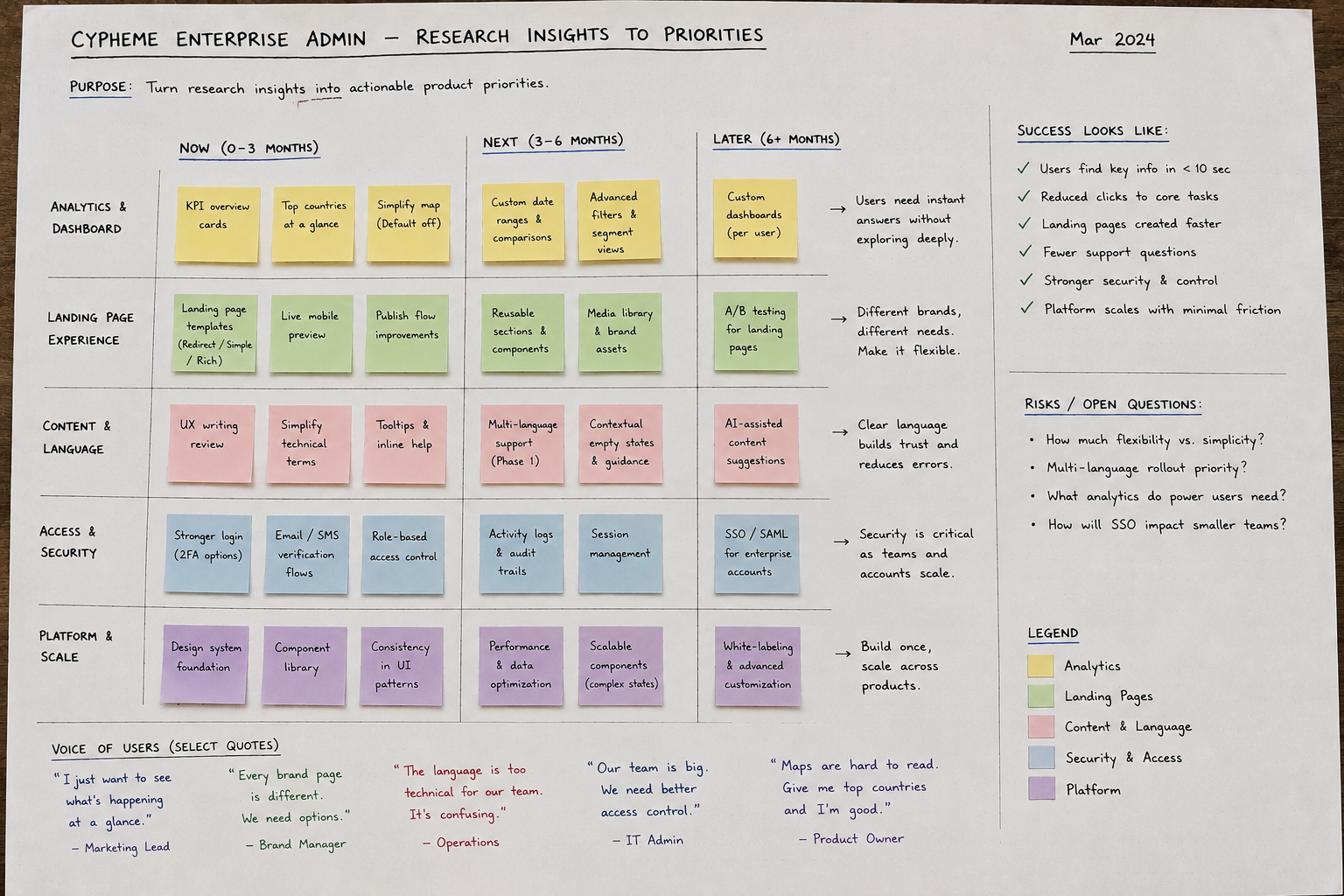
These findings changed the direction of the redesign. Instead of simply giving the existing interface a new visual layer, I started reorganizing the product around visibility, flexibility, and clearer decision-making.
Research moved the project from modernizing the interface to making the system easier to understand and adapt.
Dashboard Redesign
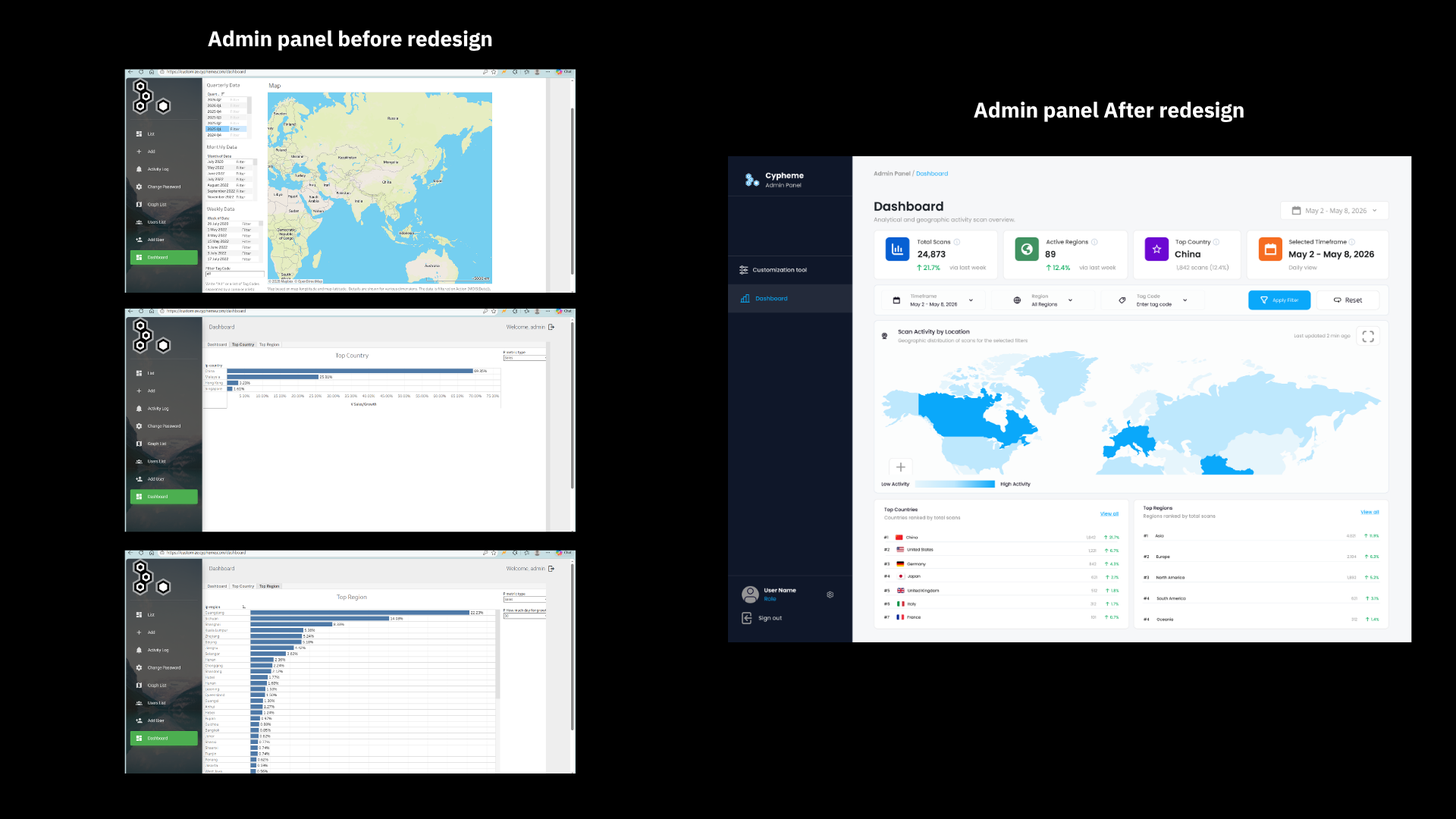
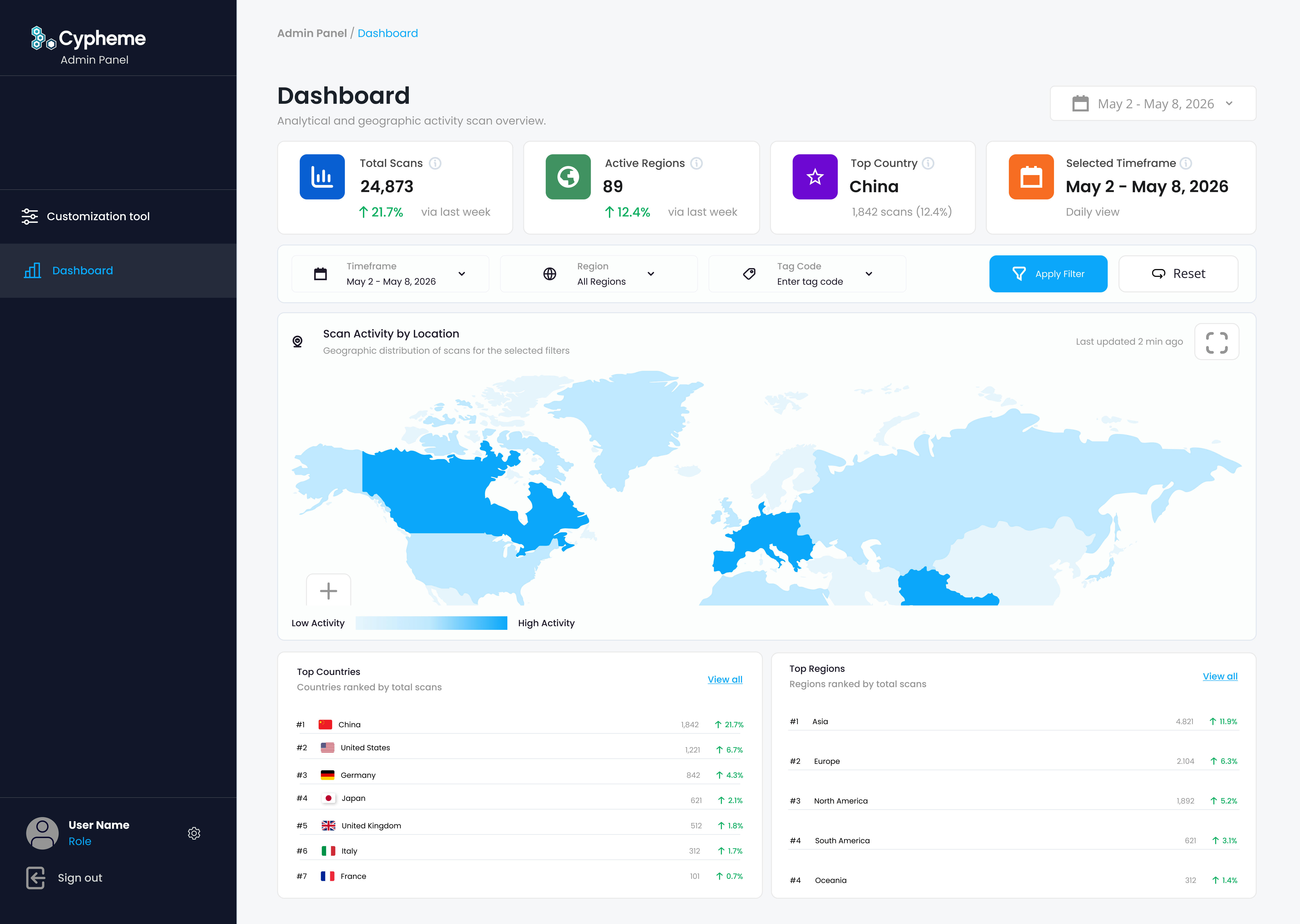
Research showed that users did not necessarily need more analytics. They needed faster access to the information that mattered.
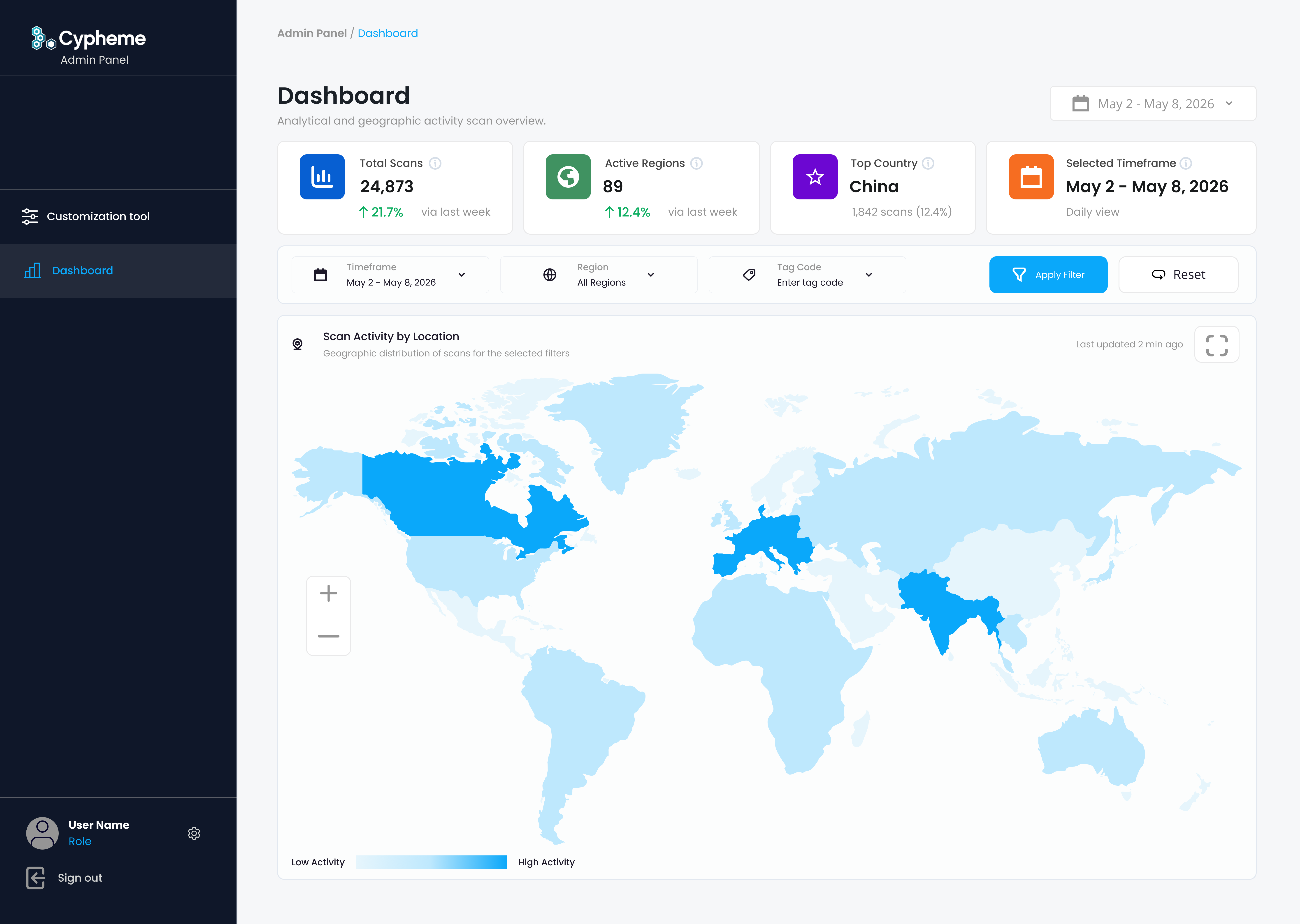
The old dashboard relied heavily on large maps, filters, and separate country or region tables. Geographic information was available, but understanding overall activity required users to actively explore the interface.
I introduced KPI overview cards to surface important information immediately, then reorganized the remaining analytics around geographic scan activity, clearer filters, and ranked country and region data.
The map remained available for deeper exploration, but it no longer had to carry the entire analytics experience.
A brand manager opening the dashboard should understand what is happening before deciding where to investigate further.
Dynamic Landing Page Builder
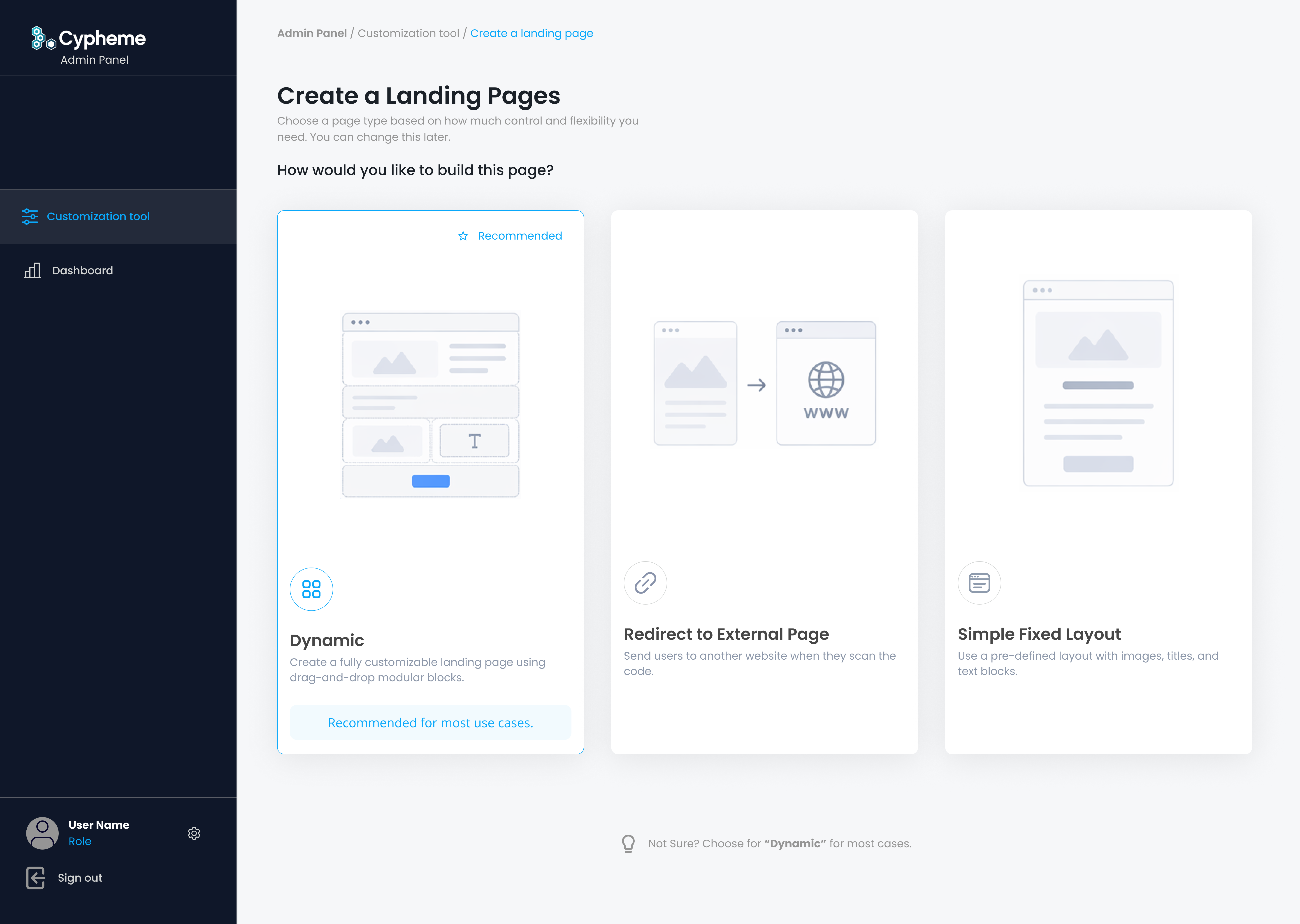
Research with partner teams showed that brands approached customer-facing verification very differently.
Some only needed to redirect customers to an existing website. Others needed a simple authentication result. Some wanted a richer branded page containing product information, imagery, and additional content.
Trying to force all of these customers through one configuration flow would either make simple tasks unnecessarily complicated or make the system too restrictive for larger use cases.
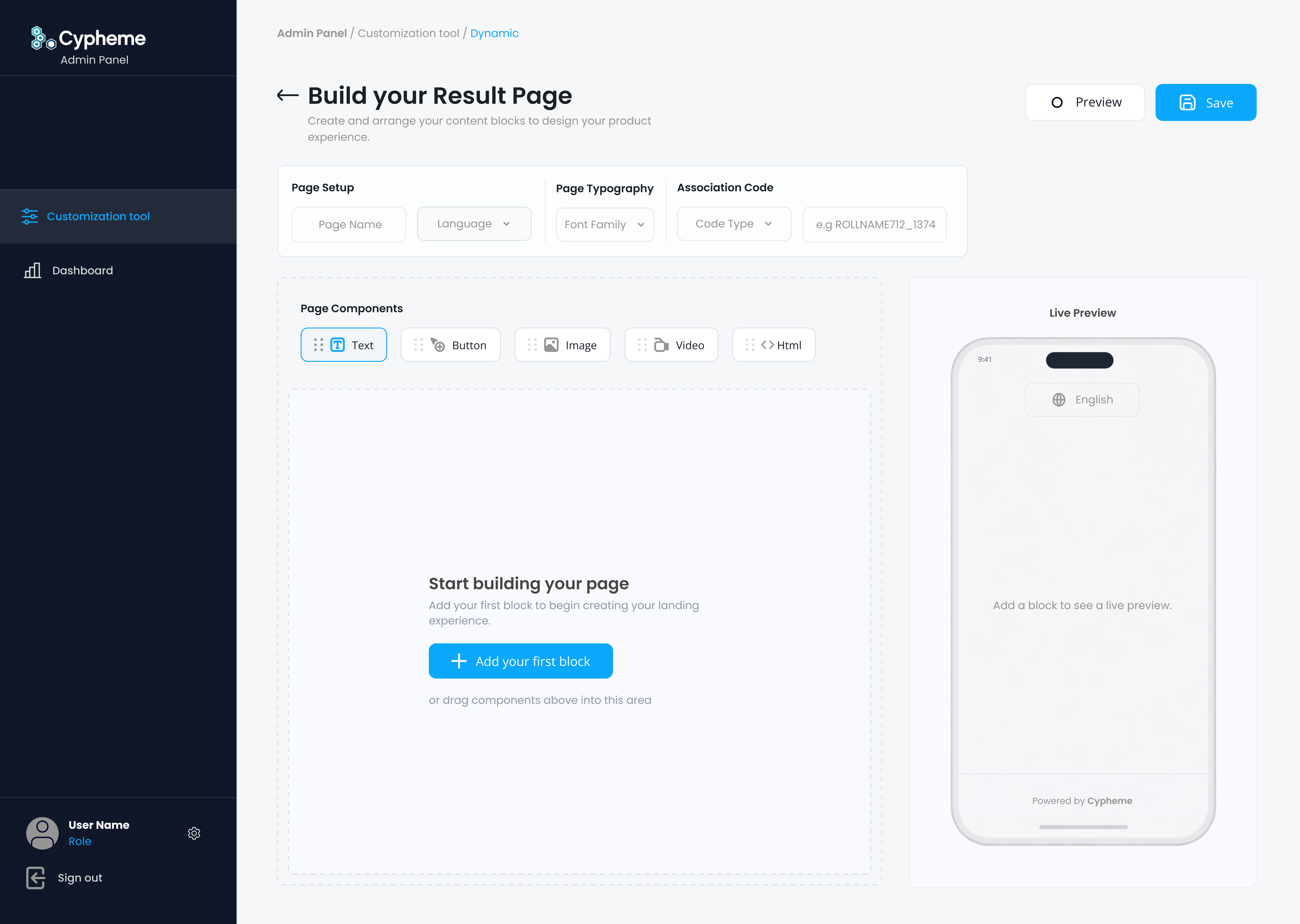
I therefore designed the builder around different levels of configuration, allowing teams to choose the type of experience they needed before configuring it.
The system supported dynamic pages, redirect experiences, and simpler fixed layouts while keeping the underlying interaction patterns consistent.
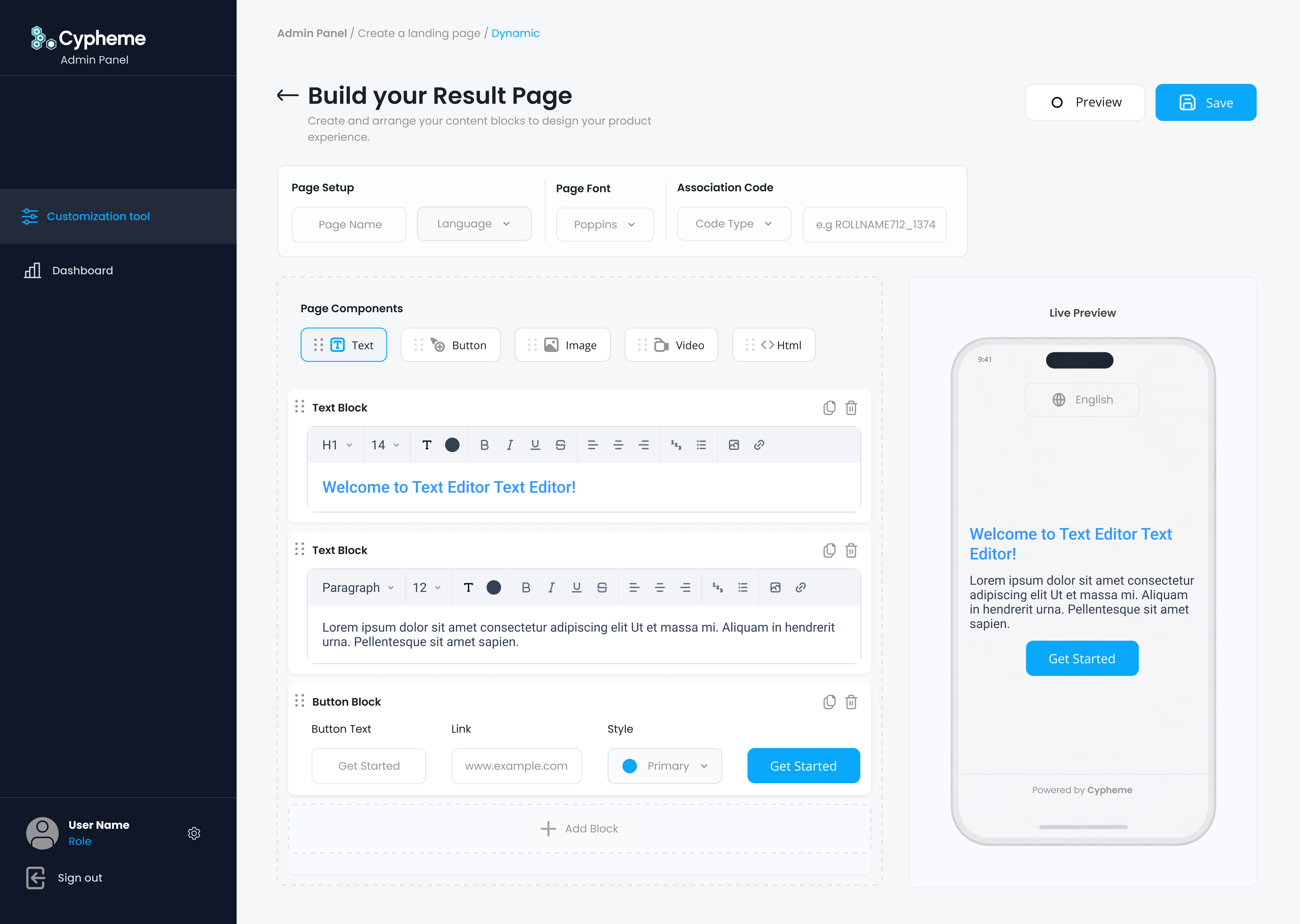
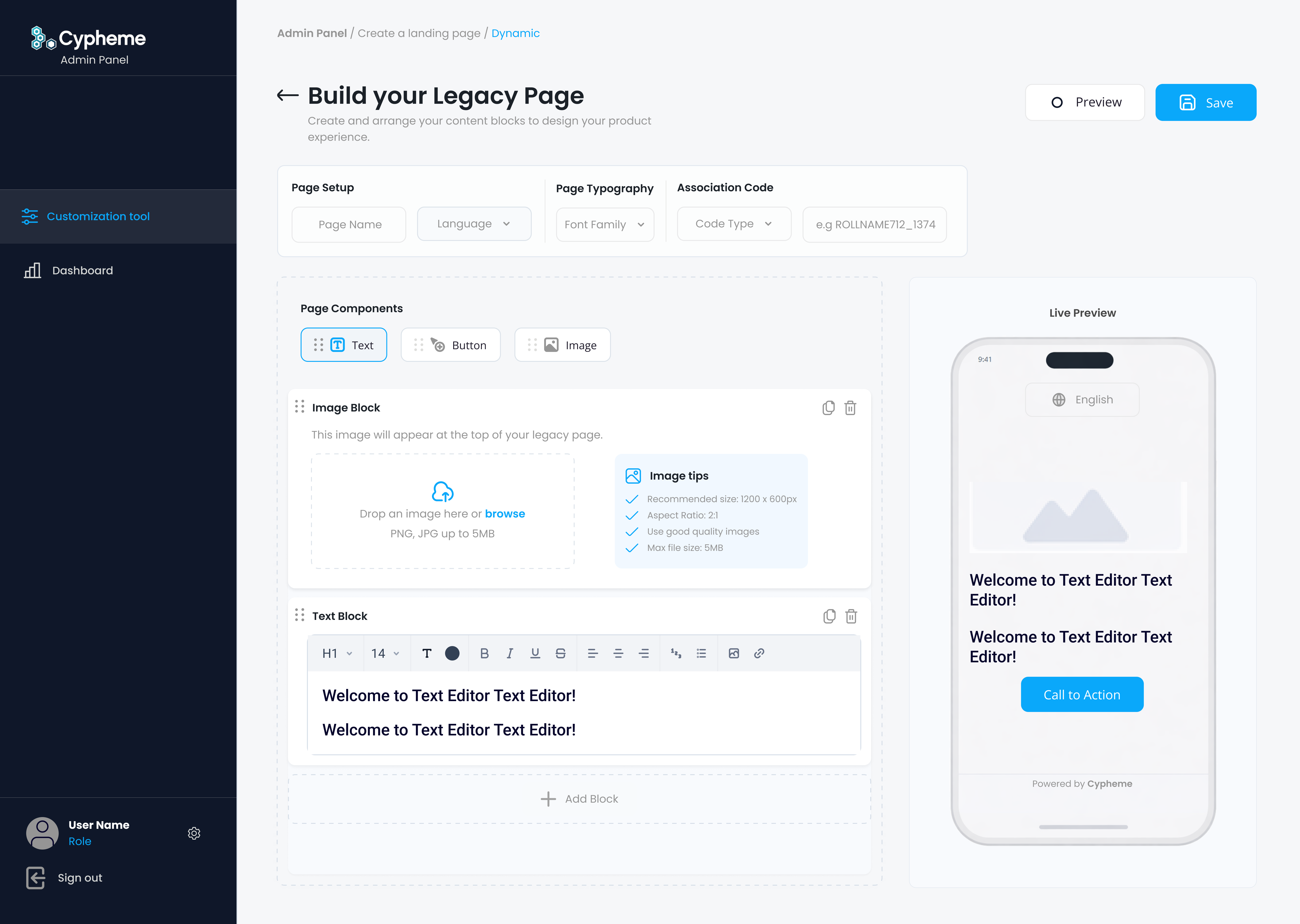
A live mobile preview was also introduced so users could see the customer-facing result while configuring it rather than having to mentally translate form fields into a finished mobile experience.
The workflow moved from filling out administrative fields to building and previewing an actual customer experience.
Mobile Preview & Page Creation
The live preview became an important part of the page creation workflow because partner teams were designing a customer-facing experience from inside an admin product.
Showing the mobile result directly beside configuration controls reduced guesswork and gave non-technical users a clearer understanding of how content, imagery, and verification information would appear after a customer scanned a physical product.
This was especially useful for product-specific and campaign-specific pages where teams needed to make small content changes without involving design or development every time.
The editor became less about filling forms and more about shaping a real customer-facing verification experience.
Authentication & Security
Security requirements continued to evolve after the redesigned platform entered use.
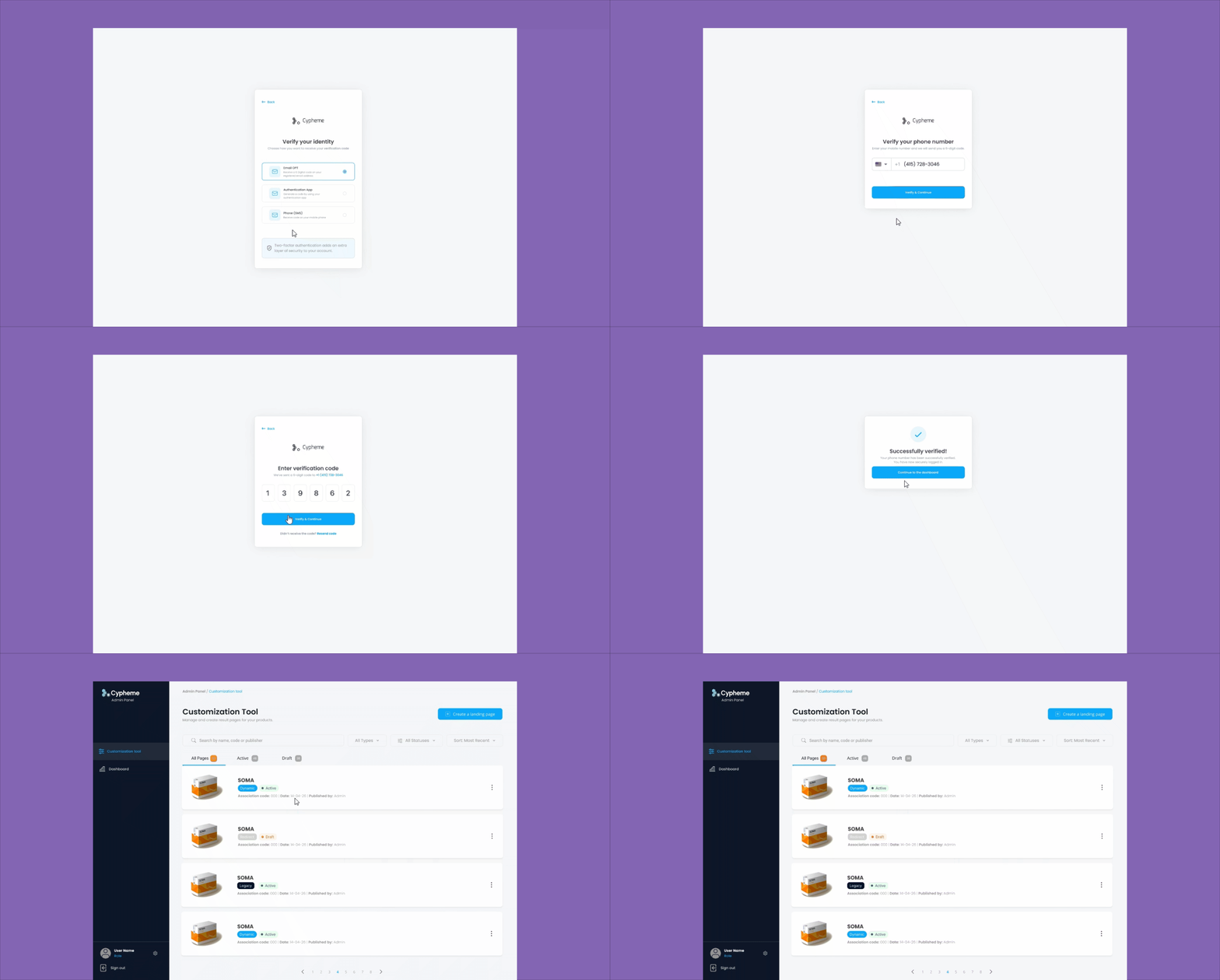
Later feedback from enterprise stakeholders highlighted another concern. Access was sometimes shared across larger organizational teams, increasing the importance of stronger account protection and clearer verification of individual access.
Rather than treating authentication as a separate technical feature, I designed it as another product workflow.
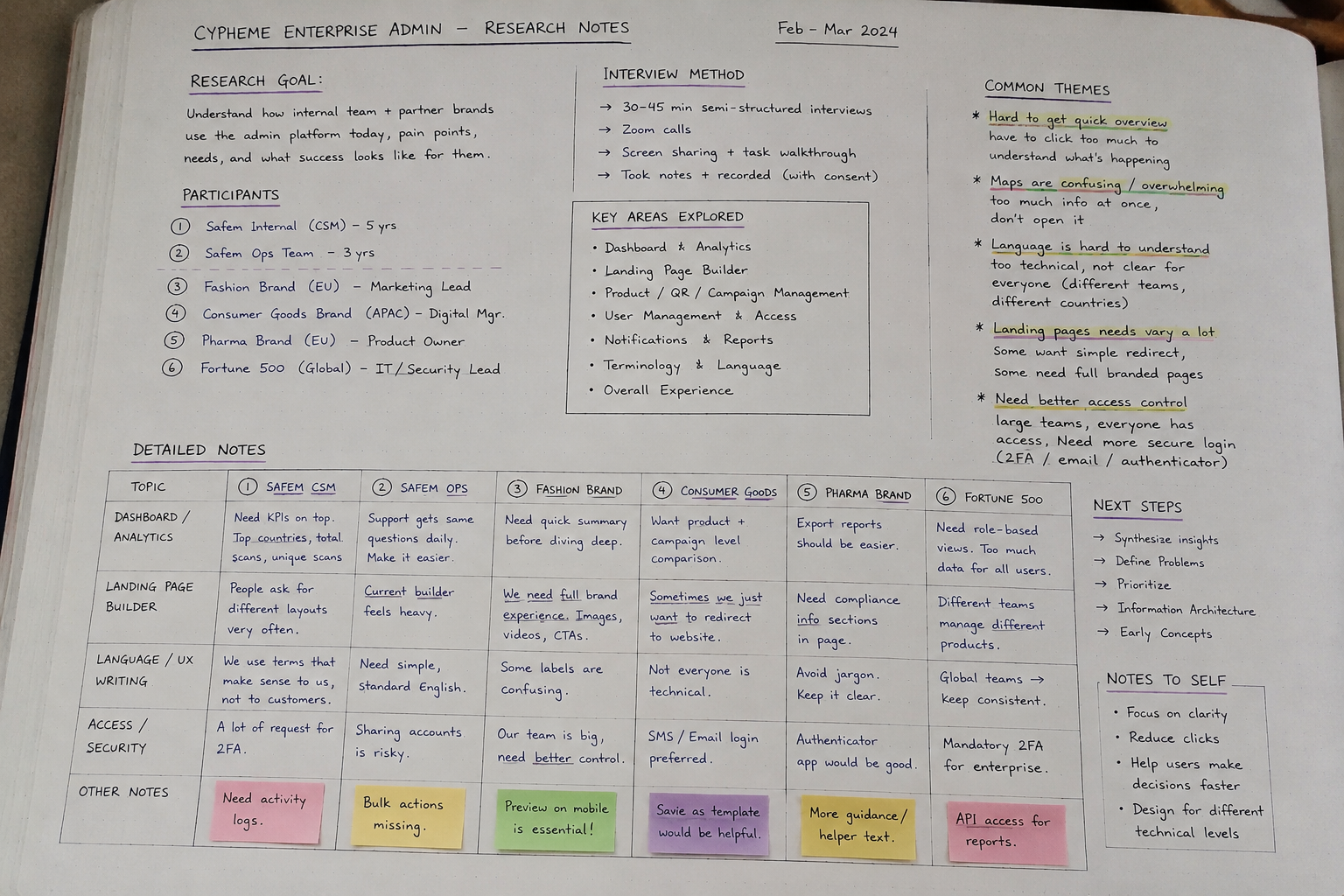
The resulting experience covered SMS verification, email verification, authenticator app setup, verification codes, resend behavior, failed attempts, and successful confirmation states.
Each state needed to clearly communicate what was happening, what the user needed to do next, and how to recover if something went wrong.
Stronger security should increase confidence without making everyday access unnecessarily difficult.
Design System & Scalability
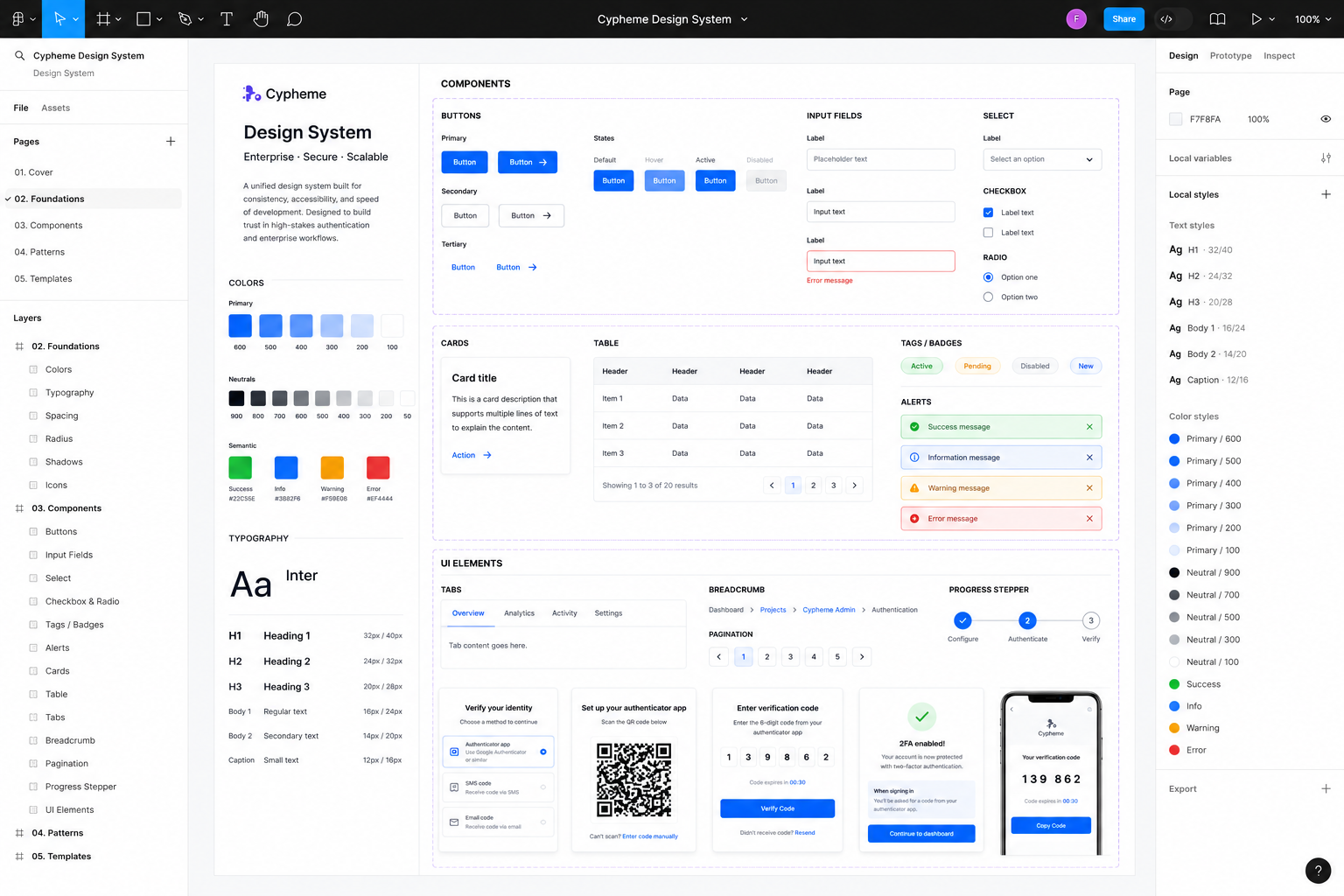
The platform needed reusable patterns that could support new features without creating another layer of inconsistency.
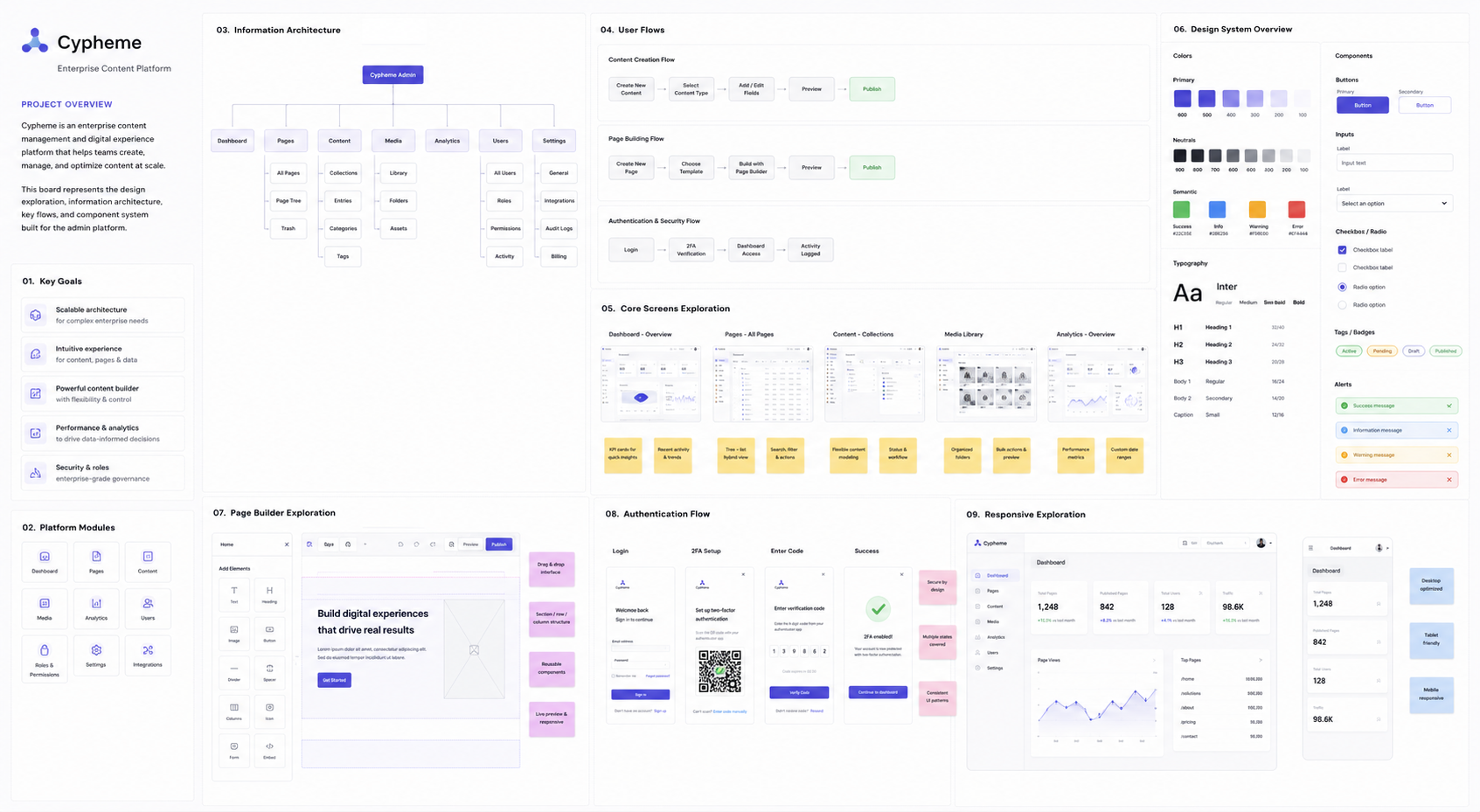
I introduced reusable interface patterns for dashboards, KPI cards, tables, filters, form groups, authentication states, landing-page blocks, mobile previews, and navigation structures.
The system also helped support clearer UX writing and more predictable interaction behavior across different workflows, making it easier for both users and the development team to understand how new features should behave.
This created a scalable foundation for multilingual content, expanding analytics, new page types, and more complex enterprise workflows.
Product Constraints
The redesign had to respect existing backend structures, legacy workflows, and platform logic already connected to real enterprise use cases.
Instead of rebuilding the product from scratch, the work focused on progressive modernization: improving usability, interface clarity, and scalability while preserving operational continuity.
- Existing backend and legacy architecture limitations
- Non-technical admin users
- Multilingual content requirements
- Security and authentication expectations
- Responsive customer-facing verification pages
- Growing analytics and reporting complexity
Outcome
The redesign transformed the platform from a legacy admin interface into a clearer, more flexible, and more enterprise-ready SaaS experience.
- Important scan and market information became visible earlier through KPI-led dashboard design
- Geographic analytics became easier to explore without relying on the map as the primary entry point
- Partner brands gained more flexible landing-page options for different business needs
- Live preview reduced the gap between admin configuration and the final customer-facing experience
- UX writing became clearer for international and mixed-technical audiences
- Authentication workflows were expanded to support stronger enterprise access requirements
- A reusable design system created a stronger foundation for future product growth
The project also reinforced an important part of enterprise design for me: modernizing a product is rarely about replacing everything. The stronger solution was to understand what existing users depended on, identify where the experience was creating unnecessary work, and improve the system progressively without breaking operational continuity.
The result was a platform experience that felt more trustworthy, structured, and adaptable to different enterprise customers.